Open Source.
Built to Connect.
Building practical, privacy-first software to connect Android devices, car head units, and Windows PCs. Use your phone as an extended PC secondary display (Spacedesk style), mirror screens with reverse touch, and distribute verified builds through an automated F-Droid repository.
CastDrive
Real-time Android screen mirroring designed to turn your phone into a low-latency transmitter and secondary Android hardware, automotive stereos, or desktop browsers into responsive receivers.
CastDrive
Screen Mirroring & Native Receiver
Run CastDrive on a second Android device, tablet, or car stereo to receive real-time screen mirroring in full-screen with dedicated connection controls and low-latency delivery.
Windows PC Desktop App (`CastDrivePC.exe`)
Official standalone Windows application supporting dual workflows: mirror your phone to PC with full audio & reverse mouse control, or stream Windows to your phone as an extended second display (Spacedesk style).
Multiple Performance Modes
Choose between Performance, Balanced, and High-End modes, allowing users to tailor resolution, frame rate, and encoder load to match their device and network capacity.
Touchscreen & Mouse Interaction
Supported through both the web-browser receiver and the dedicated app receiver. Sends taps, drags, swipes, and mouse navigation back to the host without requiring root permissions.
Universal Audio Support
Stream real-time system audio in sync with the video feed. Internal audio capture is available through both the dedicated app receiver and web-browser receiver options.
Zero-Install Browser Receiver
Turn any computer, smart display, or laptop into a receiver simply by visiting http://<phone-ip>:8080 in any modern browser. Supports audio, reverse touch, and full-screen view.
Display & Rotation Controls
Optimized for automotive dashboard screens and tablets: toggle between Fit, Fill, and Fullscreen modes with instant rotation to 0°, 90°, 180°, or 270° orientation.
Experimental USB Tethering & Android Auto
Direct USB tethering mode provides ultra-low latency wired connectivity when wireless channels are congested. Experimental Android Auto companion integration allows testing display casting on supported car head units.
Phone-First Development Workflow
CastDrive was developed and tested entirely from an Android device using Google AI Studio without requiring a desktop IDE during the primary development cycle. Over roughly 20 iterative development loops, it was tested on real automotive and mobile hardware, refining low-latency screen streaming, touch feedback, audio piping, and network discovery.
Verified App Screenshots
Direct captures from active CastDrive builds running on Android hardware.
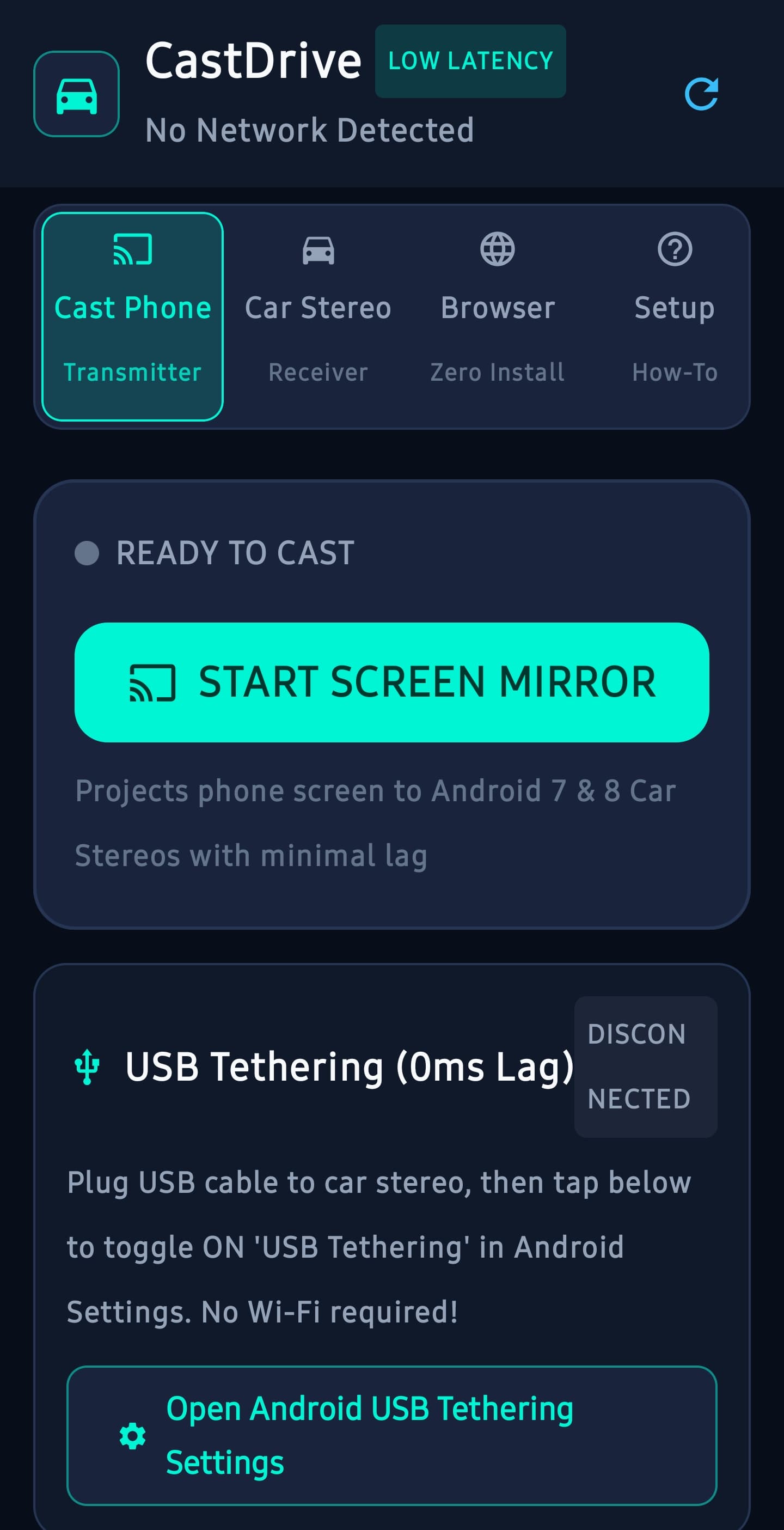
Transmitter Control Hub
Main interface on the Android phone. Shows real-time connection status, transmitter toggle, receiver IP input, port, and audio configuration.
Install Through F-Droid
RSR-Projects operates an independent F-Droid repository. Adding this repository to your client provides automated updates, cryptographic index verification, and seamless installation.
Third-Party Repository: This is a dedicated, self-hosted repository operated directly by RSR-Projects. It is independent of the default upstream F-Droid catalogue.
https://rsr-projects.github.io/RSR-FDroid/fdroid/repo
-
1
Open F-Droid Settings
Launch the F-Droid app on your Android device and navigate to Settings → Repositories.
-
2
Add Repository
Tap the + (Add) button in the top right or scan the QR code directly using your phone's camera.
-
3
Paste Repository Address
Paste the copied address
https://rsr-projects.github.io/RSR-FDroid/fdroid/repoand confirm. -
4
Sync and Install CastDrive
Refresh your repository index. Search for CastDrive to install and receive future updates automatically.
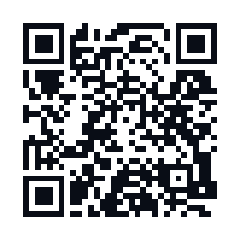
Scan to Add Repository
Point your F-Droid client scanner or camera to add the repository automatically on your device.
Release Notes & Changelog
Documented release history and verified updates for CastDrive and repository components.
- Phone as PC Second Display (Spacedesk Style): Wirelessly or via USB, turn your Android phone or tablet into an independent secondary monitor for Windows with multi-touch and mouse interaction.
-
Official Windows PC Application (
CastDrivePC.exe): Dual-mode companion app supporting Mode A (receive phone mirror with audio and touch feedback) and Mode B (extended desktop display server). - Configurable Performance Modes: Added Performance, Balanced, and High-End modes to balance latency, framerate, and hardware encoder load according to device and network conditions.
- Two-Way Touchscreen & Mouse Interaction: Reverse touch and mouse input supported through both the web-browser receiver and the dedicated app receiver without root permissions.
- Universal Synchronized Audio: System audio streaming supported across both the dedicated app receiver and web-browser receiver options.
- Experimental USB Tethering: Added direct wired link support for ultra-low latency in high-interference environments (labeled experimental).
- Experimental Android Auto Integration: Preliminary integration allowing automotive head unit display testing (labeled experimental; compatibility varies).
- Initial release of CastDrive Android transmitter and native receiver for automotive stereos, tablets, and mobile devices.
- Low-latency H.264 screen streaming over Wi-Fi and mobile hotspot with automatic UDP discovery.
- Reverse touch input support via Android Accessibility Service.
- Zero-install web-browser receiver server hosted on port 8080.
- Launch of RSR-Projects third-party F-Droid repository with cryptographic signing.
RSR-Projects Ecosystem
Projects actively maintained or under development within the RSR-Projects open-source organization.
CastDrive
Android and Windows screen mirroring and extended secondary display ecosystem (Spacedesk style) with reverse touch, multi-performance modes, and synchronized audio.
RSR-FDroid
Automated F-Droid third-party repository and GitHub Pages publishing workflow, featuring cryptographic index signing and APK distribution.
Ecosystem Companion Tools
Future companion utilities, wireless bridge helpers, and audio forwarding extensions designed to integrate with the RSR multi-screen ecosystem.
Creator & Music
Original music production, YouTube uploads (@RSR_Spectrum), Casio MT-35 hardware experiments, and creative coding by the developer.